Before approving a printed advertising blimp, check the exact wording, the logo file, the proposed colors, and how the design fits the blimp shape. Our Giant Ad Blimps overview explains that we proof the layout before printing. Use that review to settle the design before production begins.
Choose what people should recognize first
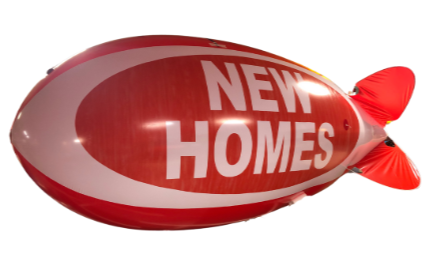
Decide whether the main message is your business name, a logo, or an event such as a new-home opening. A roadside display needs a clear priority. Keep detailed offers and directions on your website or ground-level signs, where visitors can read them at their own pace.
For a dealership sale, ask whether the dealership name or the sale message should dominate. For a hotel or storage facility, consider whether the design helps someone recognize the property. These are design decisions to discuss with the supplier; a proof cannot guarantee visibility from every road.
Send a usable logo and exact text
Send vector artwork if you have it, as our product overview requests. If you only have a small website image or a photograph of a logo, explain that before approving a layout and ask whether a better file is needed. Do not assume that enlarging a small image will preserve its detail.
Write the requested wording in your email as well as supplying the artwork. Check spelling, capitalization, phone numbers, and any website address character by character. Identify the person in your organization who can approve the final design.
Review the shape, colors, and printing scope
- Confirm the selected blimp size and the design version shown in the proof.
- Ask which sides or areas are included in the quoted printing.
- Check the logo proportions and the spacing around lettering on the proposed shape.
- Supply your brand color references and ask how colors will be confirmed. A screen preview alone should not settle a precise color match.
Review the product and printing price list and confirm the scope for your actual artwork. Keep the approved proof with the quote so your team has one reference.
Resolve changes before approving
Send corrections as one clear list, then review the revised proof. Ask for the production and shipping timeline after the artwork is settled, especially if the display is for a fixed event date. Confirm what approval means and how later changes would affect the order.
Frequently asked questions
Can you print our logo on a blimp?
Yes. Our site offers custom printing and describes reviewing a proof on the balloon shape before printing.
What artwork should I send?
Send vector artwork if available, the exact wording, and your brand color references. Ask us to review any alternative file before relying on it for production.
Does a proof show how the blimp will look from the road?
It helps you review the layout. Actual viewing depends on the display location, approach direction, surroundings, and installation. Discuss those separately rather than treating the proof as a visibility guarantee.
Should I approve before confirming the deadline?
Discuss the event date when requesting a quote, then confirm the schedule and final artwork before authorizing production.
Request an artwork review
Contact us about your printed blimp, call 1-800-791-1445, or email sales@arizonaballoon.com. Include the logo, proposed message, event location, and deadline.